Advanced Analytics for CoursesPro
Open a detailed report for any single course — metric cards, enrollment and sales charts, enrolled students with progress, instructors, and commission — and mark progress or reset it.
Masteriyo Pro gives every course its own detailed report — content counts, enrollment and sales trends, the list of enrolled students with their progress, instructors, and (with Revenue Sharing) a commission breakdown.
There are two ways to open a course's report:
- From Masteriyo > Courses, click the three dots on a course and choose Reports.
- From the Analytics Dashboard, open the Courses list and click Details on a course.
The course report
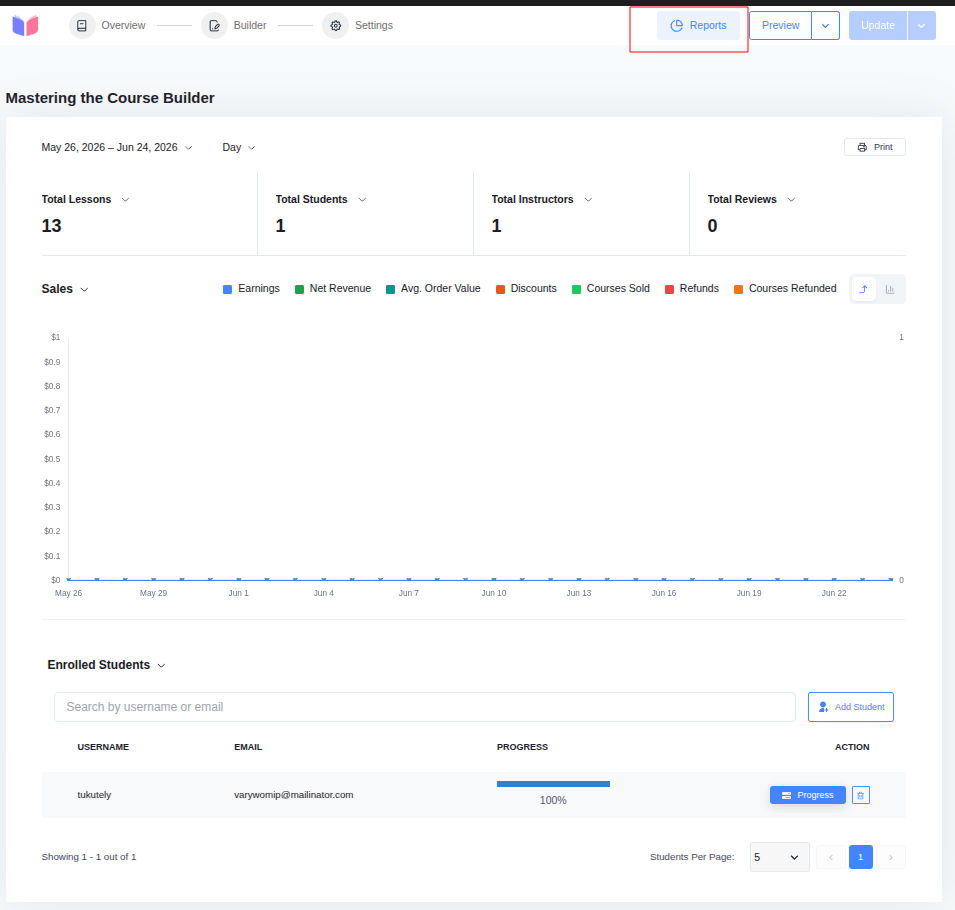
At the top of the report you can fine-tune the view:
- Date range — pick the period to analyze (defaults to the last 30 days).
- Interval — group the chart by Day, Week, or Month.
- Print — print the report or save it as a PDF.
Metric cards
Four metric cards summarize the course. By default they show Total Lessons, Total Quizzes, Total Questions, and Total Reviews. Click a card's title to swap it for another — Total Q&A, Total Students, or Total Instructors.
Charts
The report includes an Enrollment chart and a Sales chart. Use the chart menu to switch between them, and the series checkboxes to show or hide lines for Students Enrolled, Course Completions, Lesson Completions, and Quiz Completions.
Tables
Below the chart, switch between tabs:
- Enrolled Students — the students taking this course (see below).
- Instructors — the course's instructors (Name, Username, Email).
- Commissions — the instructor/admin earnings split. (Only with the Revenue Sharing add-on.)
Enrolled students
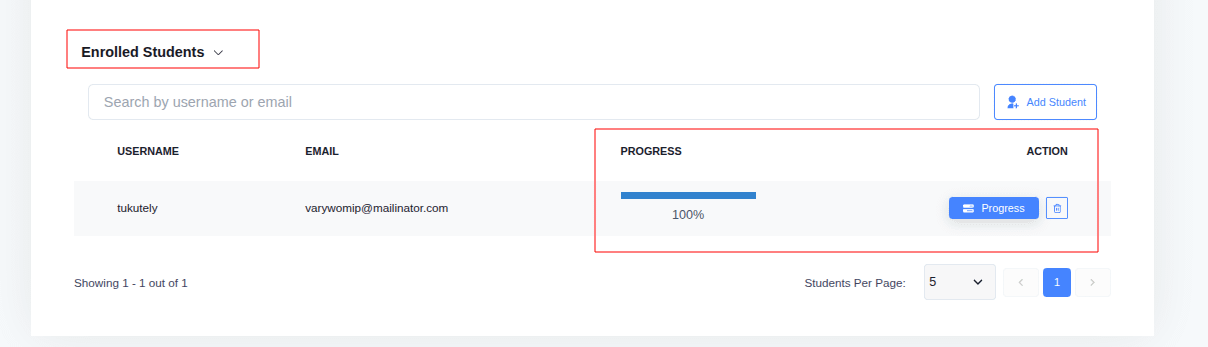
The Enrolled Students tab lists everyone taking the course, with their Username, Email, and a Progress bar.
- Search students by username or email.
- Add Student — enroll a student into the course manually.
- Unenroll — remove a student (this also erases their progress and related data).
- Progress — open that student's detailed progress report.
A student's progress report
Click Progress next to a student to open their report for the course. Here you can review and adjust how far they've come.
Activity summary
If user activity tracking is enabled, the report shows the student's Last Access, Access Count, Time Spent, and Idle Time — both for the course overall and for each item.
Sections and items
Each section expands to show its lessons, quizzes, and assignments. Completed items show a green check (with the completion date); items not yet done show a Mark as Complete button.
Mark as Complete Pro
Administrators can override a student's progress:
- Mark All As Complete — mark the entire course complete for the student. You can choose to notify the student, instructor, and admin by email.
- Mark as Complete — mark an individual item (lesson, quiz, assignment, etc.) complete.
This is ideal for correcting tracking errors or accommodating exceptional circumstances.
Reset Progress Pro
Use Reset Progress to clear all of the student's progress for the course — completion records, quiz attempts, and tracked metrics.
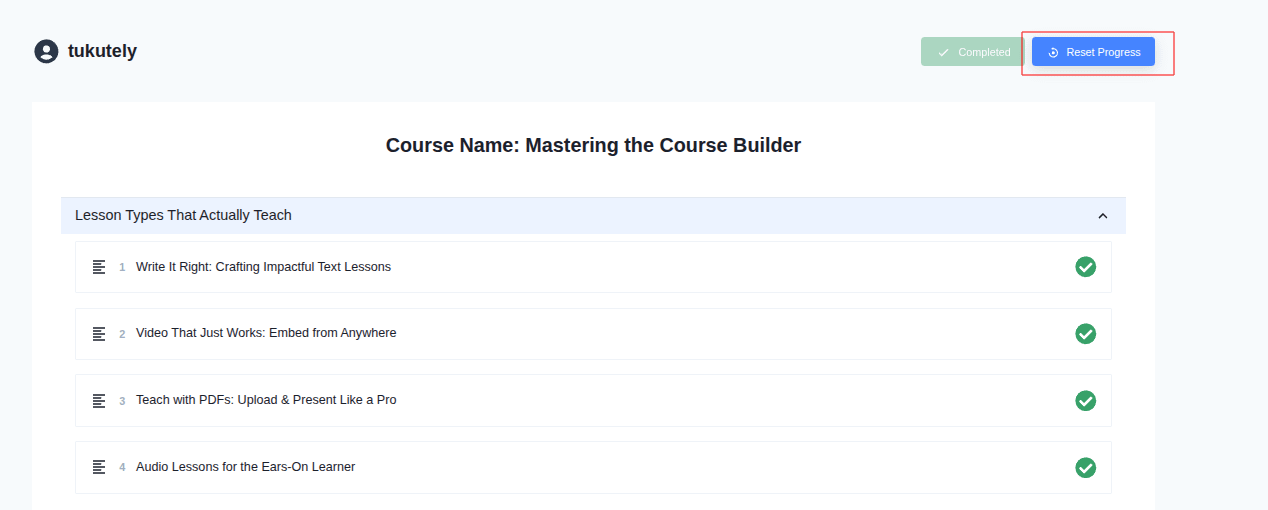
Note: This action is irreversible. The student will need to start the course again from the beginning.
Was this article helpful to you?
Give us Rating
Last edited on July 28, 2026.
Edit this page