Courses Coming Soon
A feature that allows teachers to share upcoming courses and content with their users.
This feature allows teachers to share upcoming courses and content with their users.
Installation
Courses Coming Soon is a built-in feature of Masteriyo LMS — it works out of the box and does not require any add-on activation.
Configuration
Go to Masteriyo > Courses > Edit/create a course. Now, follow the steps below.
- Go to the Settings tab and select Schedule & Access from the left panel.
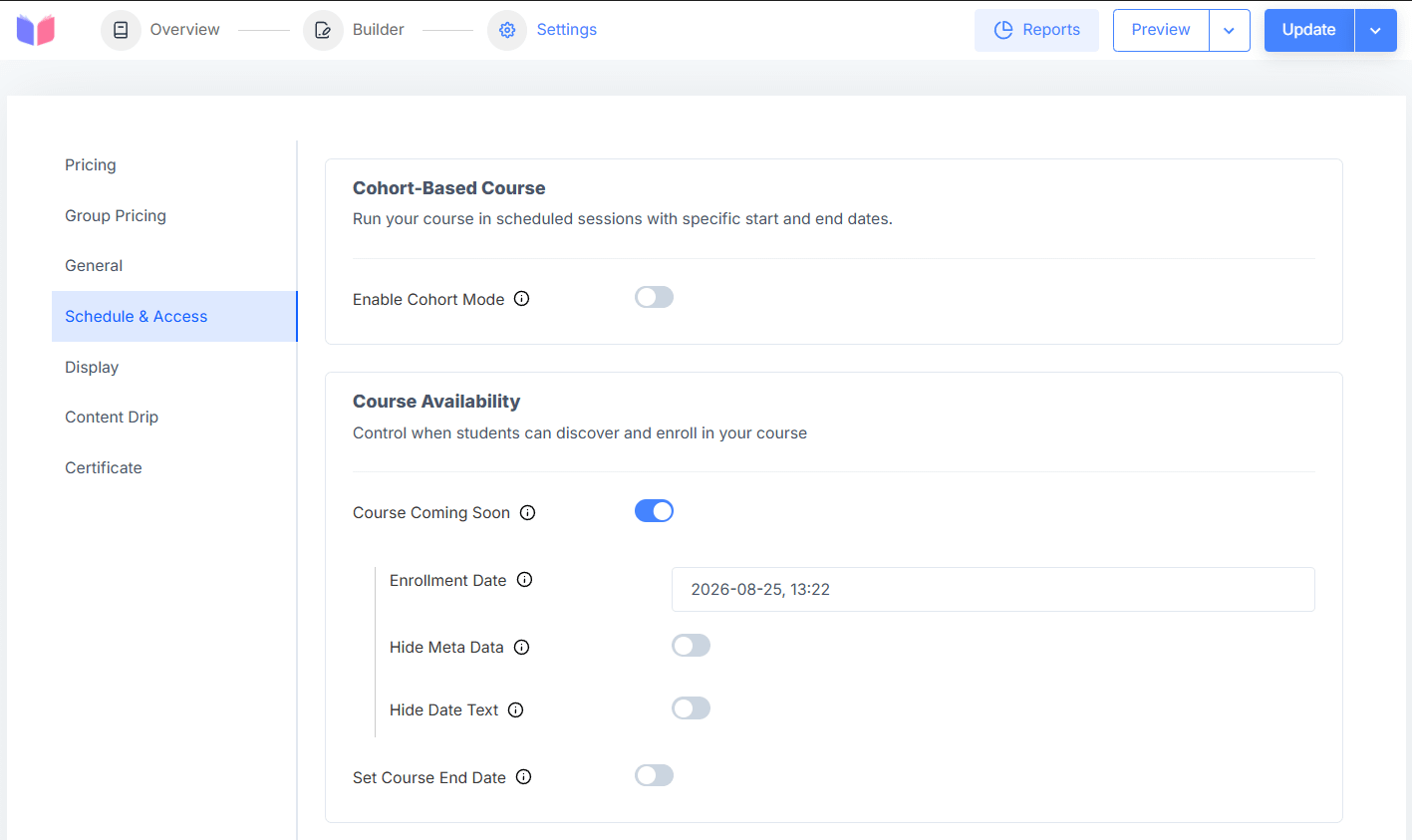
Under Course Availability, enable the Course Coming Soon toggle to mark the course as upcoming. This reveals the following options:
- Enrollment Date - Set the date and time when enrollment for the course will open.
- Hide Meta Data - Enable this to hide the course meta data (such as duration, lessons, and level) while the course is in coming soon mode.
- Hide Date Text - Enable this to hide the text that displays the date the course will be available.
- Set Course End Date - Enable this to set a date after which the course will no longer be available.
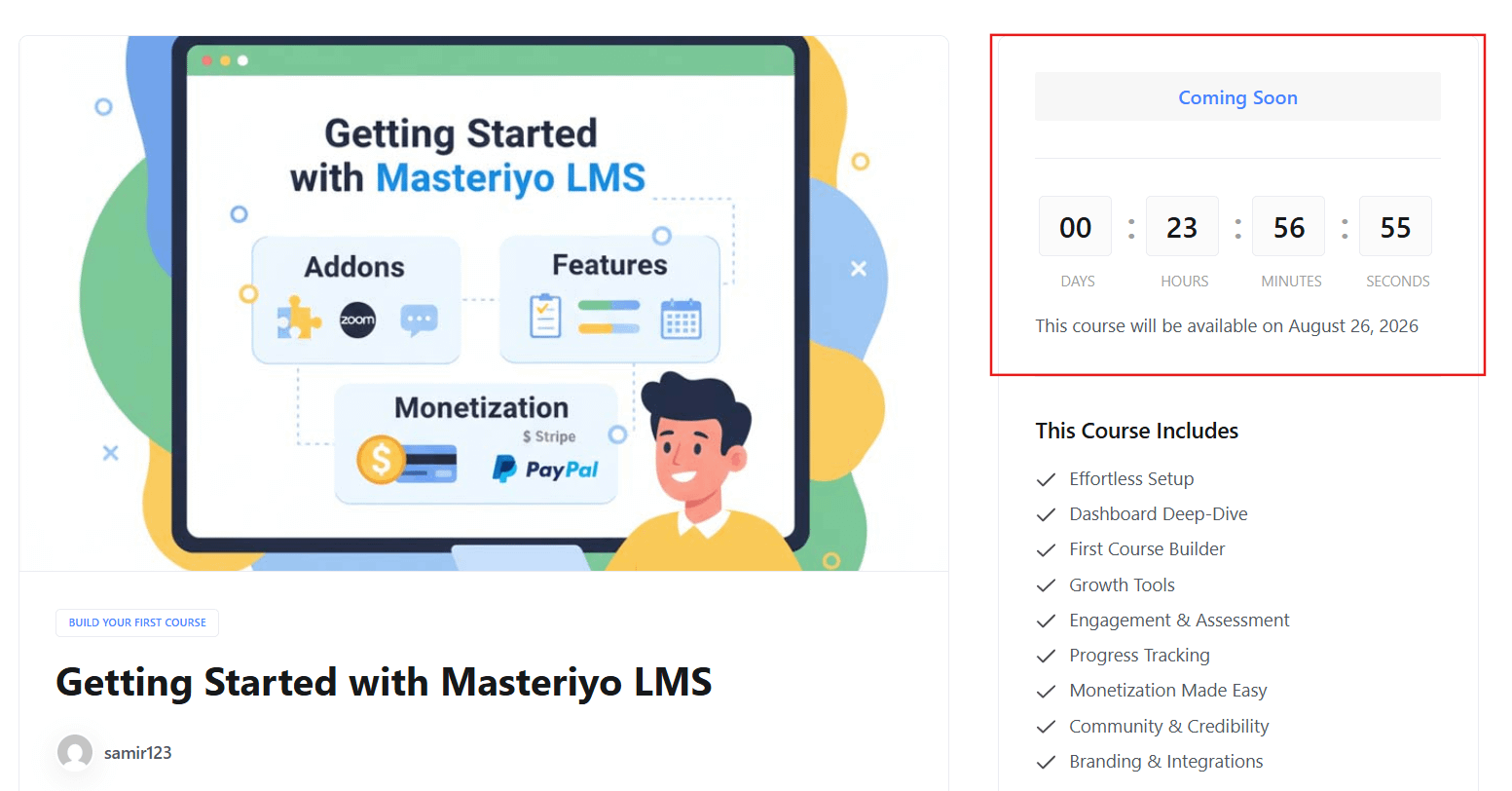
Once saved, the course displays the coming soon status on the frontend, as shown below:
Was this article helpful to you?
Give us Rating
Last edited on August 25, 2026.
Edit this page